
From Script to Audiobook
How Replica 11 Turns Dialogue into ElevenLabs Audio
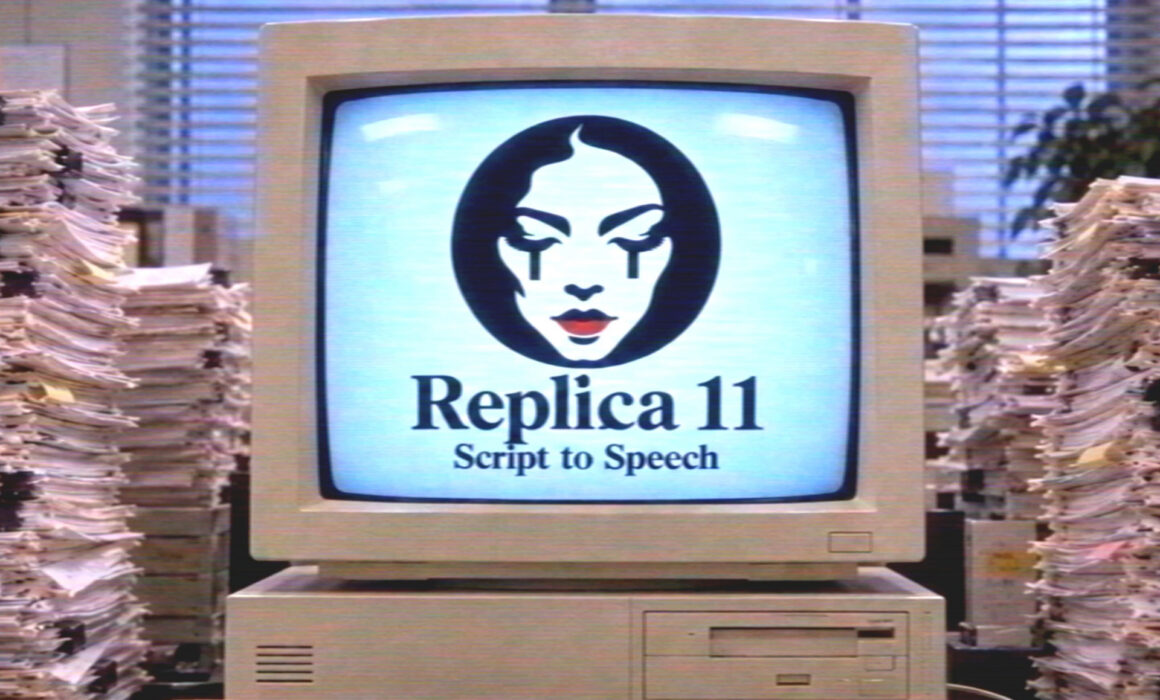
Replica 11 – Script to Speech is a Windows desktop app for writers, podcasters, game developers, and audiobook creators who are tired of hand-splitting scripts into voice takes. Paste a screenplay-style script, let the app detect characters and lines, map each role to an ElevenLabs voice, optionally polish the text with ChatGPT — then generate dialogue audio in batches.
Get the product: Replica 11 – Script to Speech
A hundred paper scripts. One answer: Replica 11.
Why this tool exists
ElevenLabs already gives you excellent AI voices. The painful part is everything before you hit Generate: splitting speakers, fixing messy formatting, tagging emotions, assigning voice IDs, exporting the right JSON, and keeping character voices consistent across dozens (or hundreds) of lines.
Replica 11 is that missing production layer — a focused script → structure → voices → audio pipeline built for Windows.
What you get in one app:
- Automatic parsing of speakers, narration, and stage directions
- Local analysis (works even without OpenAI)
- Optional ChatGPT structuring + emotional enhancement
- Per-character ElevenLabs voice mapping (stability / similarity)
- Direction tags like `[curious]`, `[calm]`, `[confident]`
- Mixed-language support (including English / Japanese workflows)
- Export to TXT, JSON (Text to Dialogue), Studio JSON, CSV, Markdown
- Batch generation via ElevenLabs API straight to a local folder
- Saveable projects and license management on d3arts.cz
The pipeline at a glance
Raw script → Load / paste → Clean text (optional) → Analyze locally OR Process with ChatGPT (+ enhance) → Review & Approve structure → Map ElevenLabs voice IDs → Export and/or Generate with ElevenLabs → Local WAV / MP3 files in your export folder
Nothing is sent to ElevenLabs until you approve the structure. That alone saves API credits and keeps you in control.
Quick start
Open Replica 11 and load your script
Start with a clean project. Use Load TXT or paste directly into the Script panel. The toolbar already shows the full workflow: Clean text → Analyze locally → Process with ChatGPT → Compare → Approve structure.
Tip: Keep the Narrator checkbox on if stage directions and scene titles should be spoken by a dedicated narrator voice.
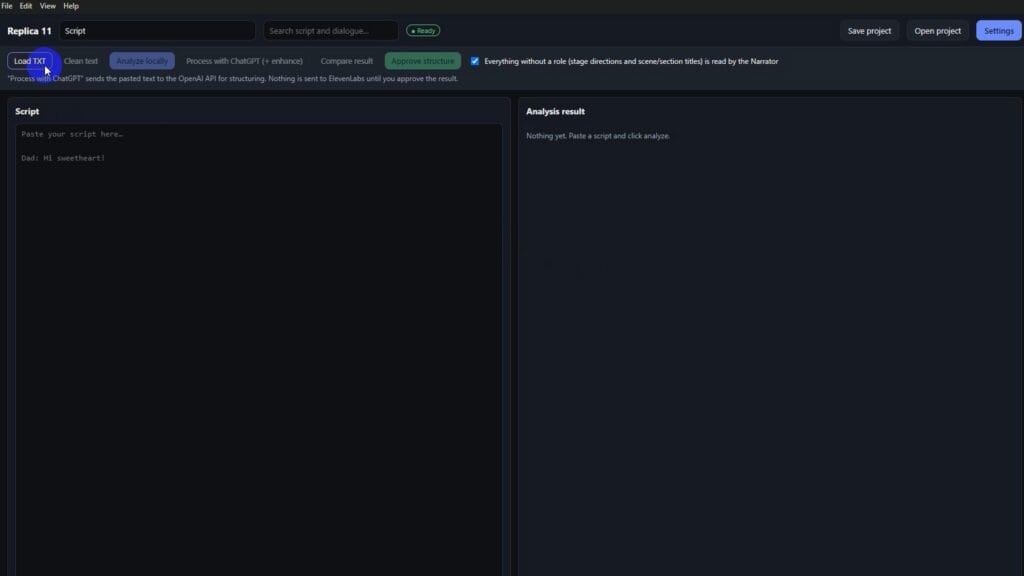
Paste a real multi-character script
Drop in dialogue with clear speaker labels (e.g. `Geisha:` / `Screenwriter:`). Replica 11 is built for this exact format — long scenes, many lines, consistent character names.
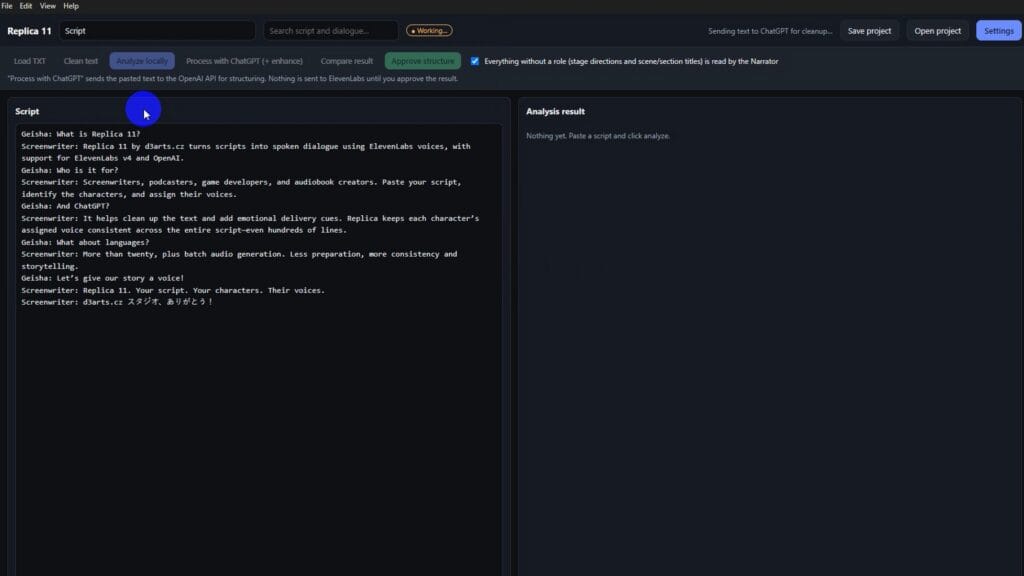
Analyze locally — characters and dialogue appear
Click Analyze locally. Replica 11 splits the text into characters and a line-by-line Dialogue table: scene, character, voice ID, text, direction, language, character count.
You can already:
- Merge or delete misdetected characters
- Set Stability (e.g. Creative) and Similarity per character
- Edit directions such as curious or calm
- Filter rows by scene, character, or language
Copy Voice IDs from ElevenLabs
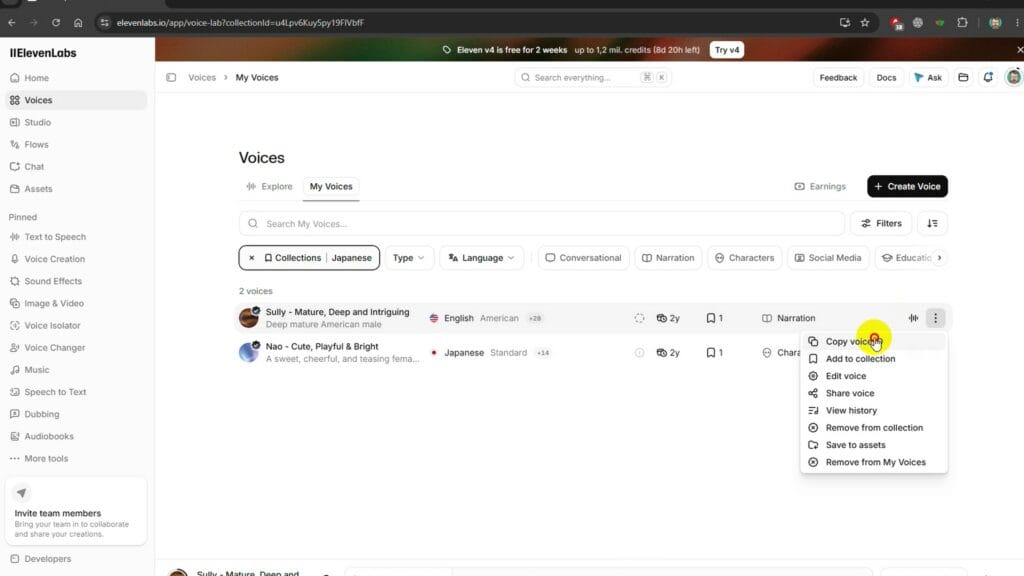
ElevenLabs — Copy voice ID
(Optional) Process with ChatGPT for structure + emotion
Want deeper cleanup and performance cues? Click Process with ChatGPT (+ enhance). Replica 11 asks for confirmation first — OpenAI structures the script; ElevenLabs is still not contacted.
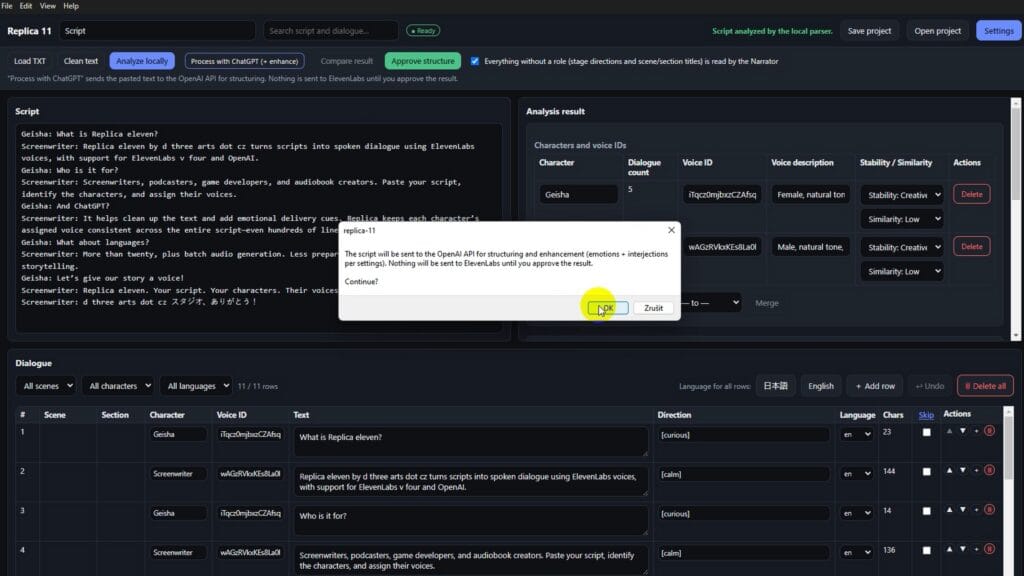
Confirm sending script to OpenAI
When processing finishes, you get a review modal:
- Recognized characters + suggested voice profiles
- Full dialogue list with directions and language confidence
- Warnings for uncertain blocks (e.g. mixed-language lines)
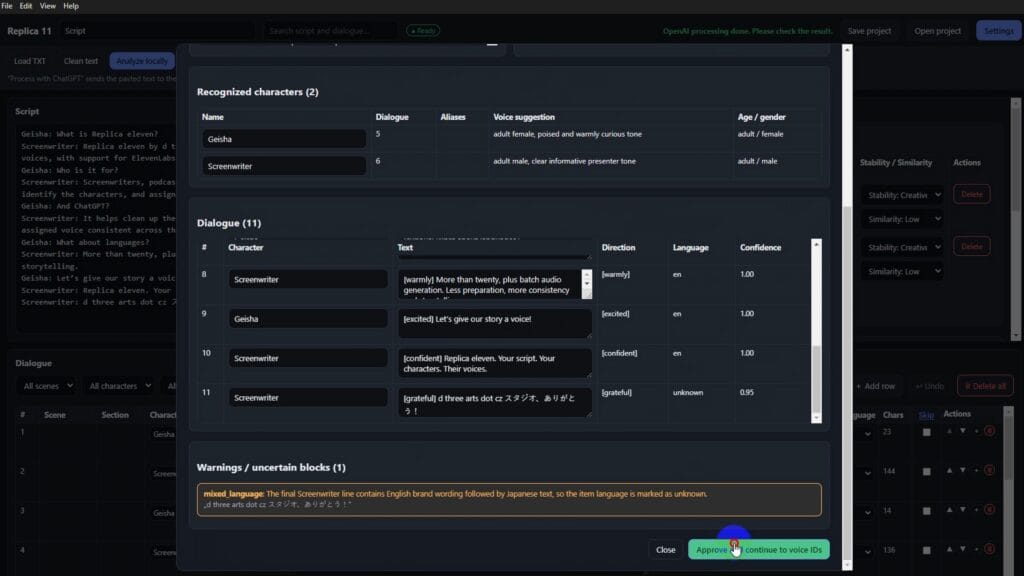
OpenAI processing done — review and approve
Then click Approve and continue to voice IDs.
Approve structure and validate the project
Export options:
| Format | Typical use |
| --- | --- |
| TXT | Readable script dump |
| JSON (Text to Dialogue) | ElevenLabs dialogue workflows |
| Studio JSON | Studio / advanced pipelines |
| CSV | Spreadsheets, QA, localization |
| Markdown | Docs and reviews |
Generate with ElevenLabs
Pick your audio folder, then hit Generate with ElevenLabs. The Generation log shows each package running with language override, stability, and similarity settings.
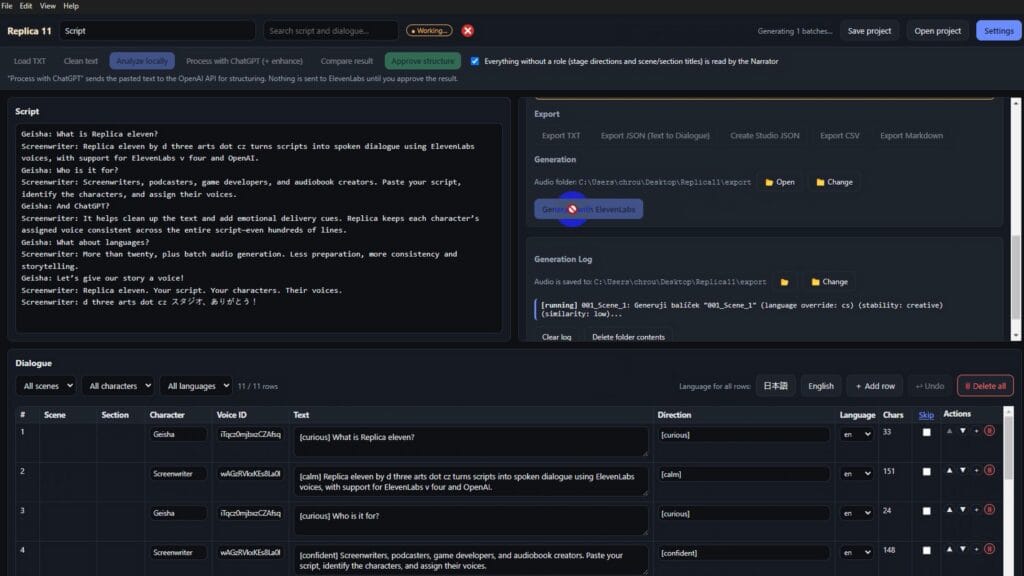
Generating audio with ElevenLabs
When it finishes, you get a clear success banner and a WAV (or configured format) in the export folder.
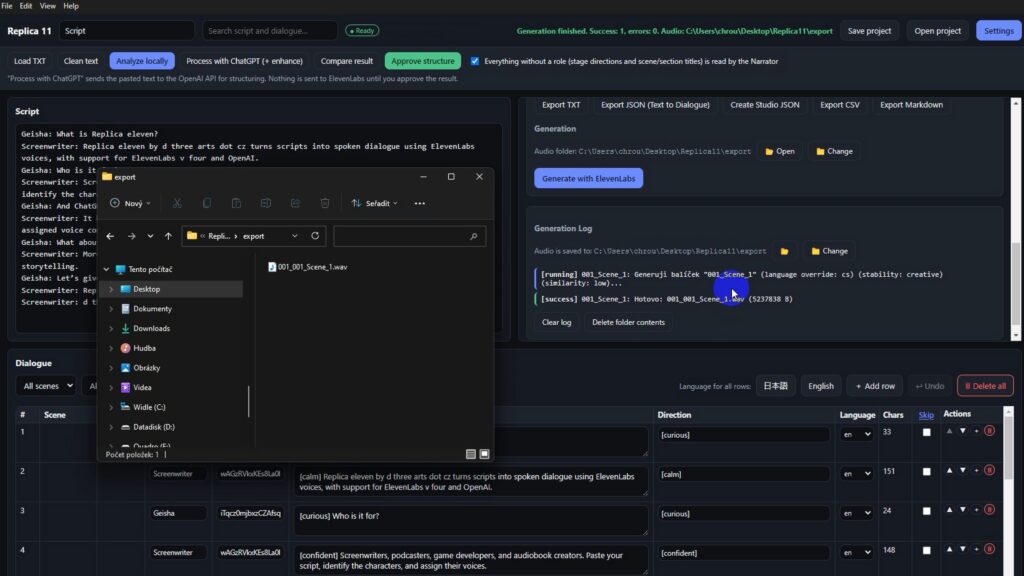
Generation finished — WAV in export folder
Save the project for later
Save as a Replica 11 Project (\*.json) so you can reopen the same cast, directions, and scene layout tomorrow — without redoing the whole parse.
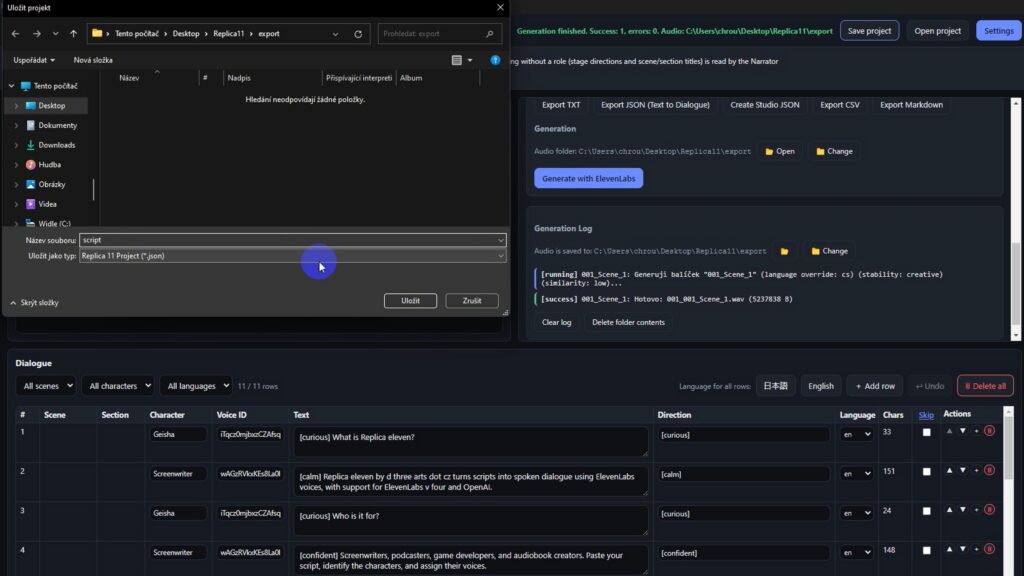
Save Replica 11 project
License and activations
Buy once, manage activations in your d3arts.cz account under License keys. Lifetime licenses show Never Expires, with clear activation slots (e.g. 1 / 2) and the ability to delete an old machine when you switch PCs.
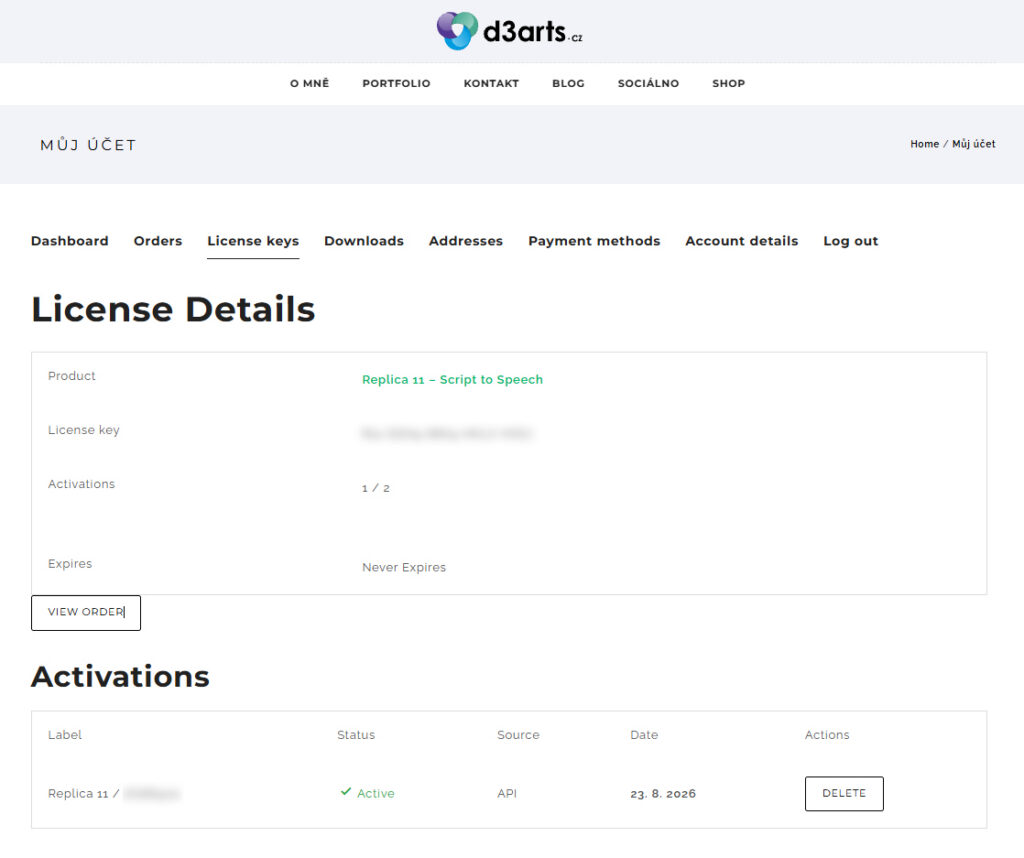
d3arts.cz account — Replica 11 license details
-
Who should use Replica 11
Screenwriters turning scenes into temp VO or full AI cast reads
Podcasters producing dialogue-heavy episodes without a booth day
Game developers batching NPC lines with stable character voices
Audiobook creators mapping narrators and characters before generation
If your workflow is “script in Word → chaos in ElevenLabs,” Replica 11 is the professional middle step you were missing.
Quick checklist
1. Install Replica 11 (Windows) and enter your license
2. Add ElevenLabs API key in Settings (OpenAI key optional)
3. Paste or Load TXT
4. Analyze locally **or** Process with ChatGPT
5. Approve structure
6. Paste Voice IDs from ElevenLabs
7. Export JSON / generate audio
8. Save the project
Get started
Create account / sign in
Try Replica 11 – Script to Speech
Paste the script. Map the voices. Generate the scene.
That’s Replica 11.
Please note: Purchasing Replica 11 does not include credits or subscriptions for OpenAI (ChatGPT) or ElevenLabs. Access to these services and any usage costs must be arranged and paid for separately. Replica 11 connects these services and streamlines the preparation and conversion of long scripts into spoken audio.